Update a verified company
A verified company keeps the same onboarding_url for its lifetime. The merchant uses that link to change its own details at any time. The merchant starts these updates. An additional information request is different: Rootline starts it when it needs more information.
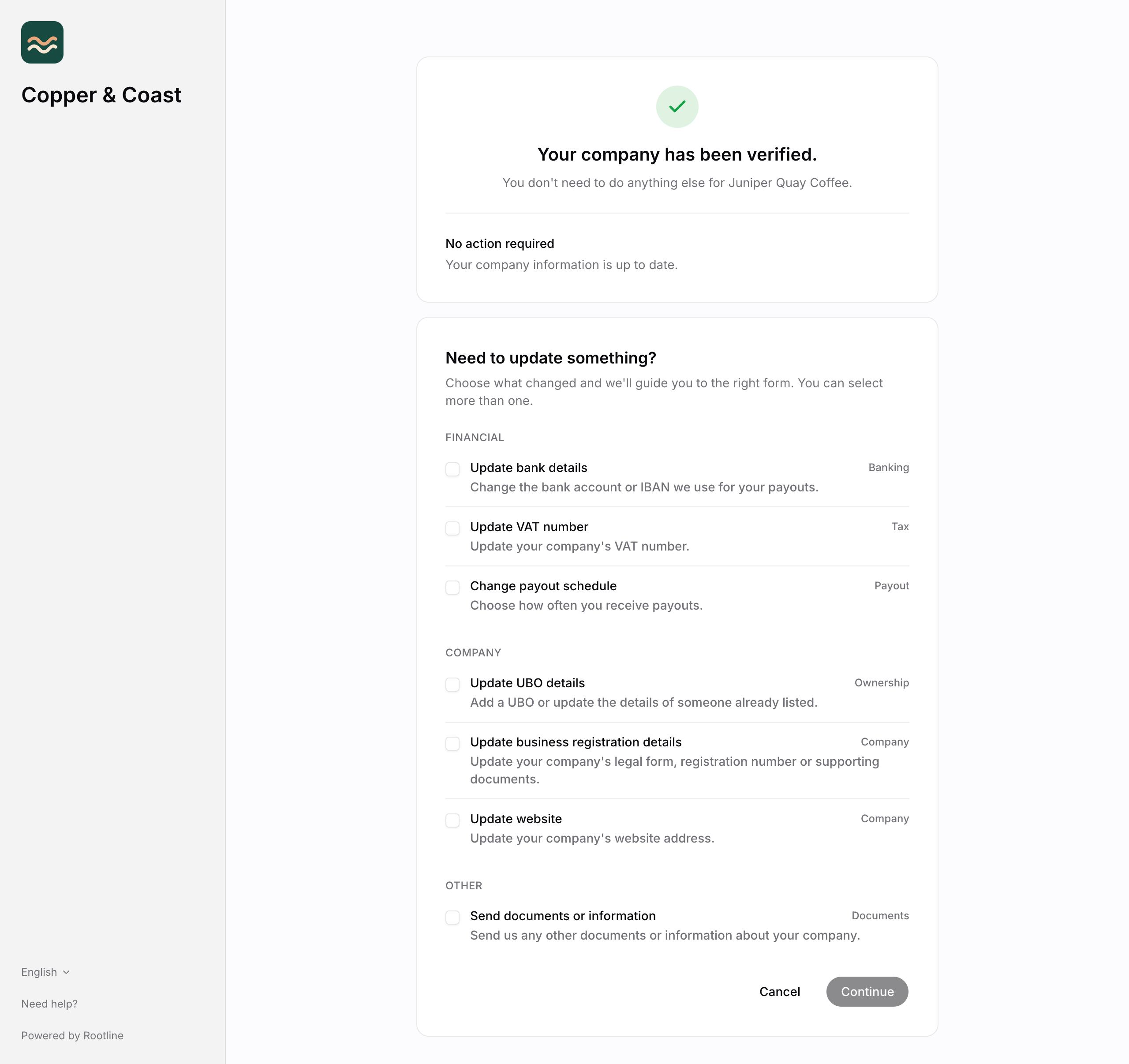
The update menu
Send the merchant to the onboarding_url. The form shows a menu. The merchant can update:
- Bank details (IBAN)
- VAT number
- Business registration and website
- UBO details
- Payout schedule
- Business locations
- Supporting documents
The merchant can select more than one option, and fills in one form for all of them, step by step.
What happens while they do:
next_actionbecomesawait_assessmentwhile Rootline reviews the change;verification_statusstaysverified.- The company keeps processing throughout, with no interruption.
- A verified company that is due for a periodic review carries
next_action: review_informationinstead.
Direct links
Two forms also have their own link. The link is the onboarding_url with a path added. Use it when you know what must change, so that nobody has to choose from the menu. You can fill in the form yourself, or send the link to the merchant.
| Use it to | Link | Works for |
|---|---|---|
| Add business locations that need their own payment account | <onboarding_url>/locations | verified companies only |
| Set the payout schedule of the merchant | <onboarding_url>/payout_schedule | Every company, also before it is verified |
For a company co_8f3a2b1c in the namespace roasters.com, the links are:
https://onboarding.rootline.com/roasters.com/co_8f3a2b1c/locationshttps://onboarding.rootline.com/roasters.com/co_8f3a2b1c/payout_schedule
Each link works only for a company in your own namespace.
Add locations
The merchant adds business locations that need their own payment account and their own payouts. The link works only for a company that is verified.
For which locations can be added, what happens with a subsidiary and who signs for it, see Multiple locations.
Payout schedule
The form sets how often the merchant gets its payouts: daily, weekly or monthly. After the form is submitted, Rootline applies the new schedule to the merchant's account. next_action does not change, and the company keeps processing.
For the available schedules, see Payout schedules.