Fast onboarding
Onboarding is designed to be quick for the merchant. Most of the work is confirming details Rootline already has or has checked, not typing them in.
This comes from two places:
- What you send in yourself when you create the company.
- What Rootline looks up and checks for you: business registers, UBO registers, bank account checks, and VAT checks.
These can overlap. Either way, the merchant usually confirms details instead of entering them from scratch.
What you can prefill yourself
When you create the company, you can supply everything you already hold about the merchant:
- Legal and trade name
- Business description
- Business registration number
- Address
Rootline stores these on the company object and prefills the onboarding form. The merchant confirms what you provided and fills in only the rest.
This is especially useful for a platform with an existing customer base, for example when moving merchants from another payment provider. Fill in what you know at create. Each merchant then completes only the fields you could not supply, instead of starting from a blank form.
What Rootline prefills for you
When you supply the merchant's business registration number at company create, Rootline looks the business up in its local business register and prefills the onboarding form. The merchant confirms the details instead of typing them, so a merchant whose data is on file can finish in a few minutes.
If you do not supply a registration number, the merchant can search for their business by name in the first step of the form, across the registers Rootline covers. The match prefills the same fields. See Business registers for the registers Rootline connects to.
Where the register also covers beneficial ownership, Rootline prefills the people behind the business, not just the company details. The ownership step lists the beneficial owners it found, each with their role and ownership percentage. The merchant confirms them instead of entering every person by hand.
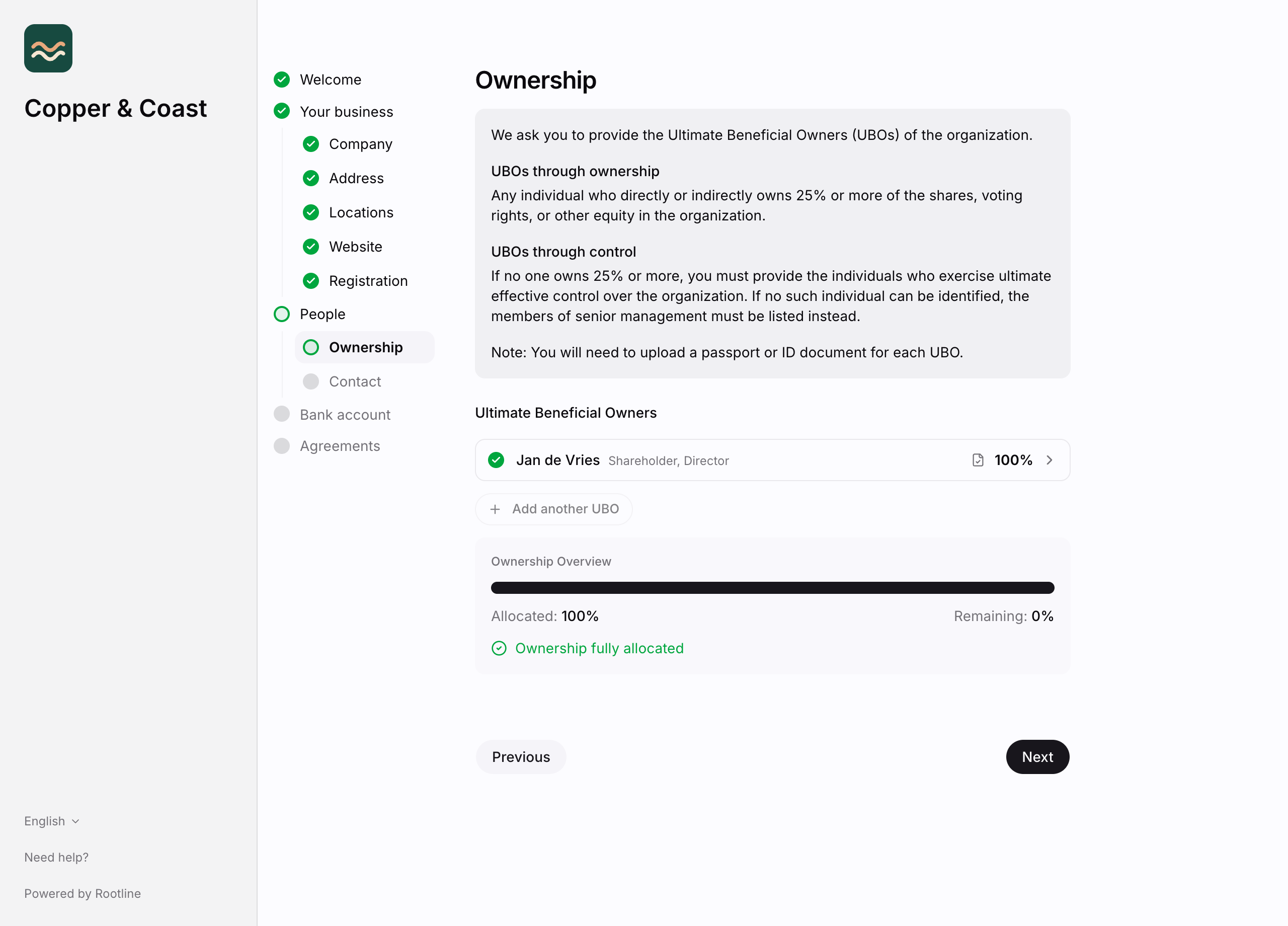
Beneficial-owner coverage is growing, but is not yet in every country. Where the register does not hold it, the merchant enters the beneficial owners themselves. See Business registers for where these checks run.
Checked in real time
Some checks run while the merchant fills in the form, so they get immediate feedback instead of waiting for the assessment:
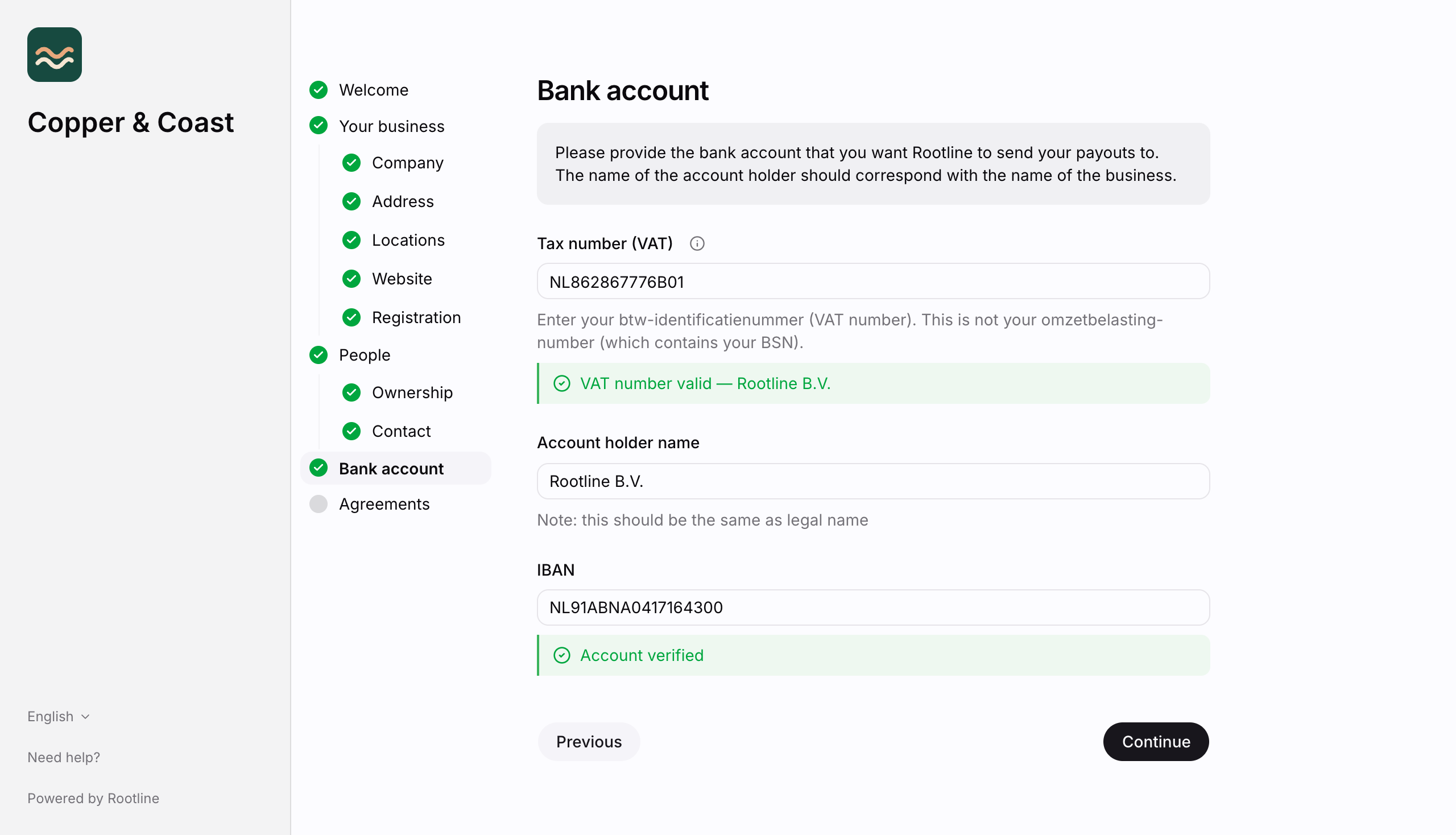
- Bank account: the IBAN is validated and the account holder name is checked against the business name. Because this confirms the payout account belongs to the business, Rootline usually does not need a separate bank statement.
- VAT: the VAT number is validated against the EU VIES service where the country supports it.
Progress is saved
The form saves the merchant's progress in their own browser as they go. This includes the step they have reached and any documents they have uploaded. If they refresh the page, or step away and come back on the same device, the form reopens where they left off instead of starting over.
Nothing is sent to Rootline until the merchant submits the form. Once they submit, the saved progress is cleared.